
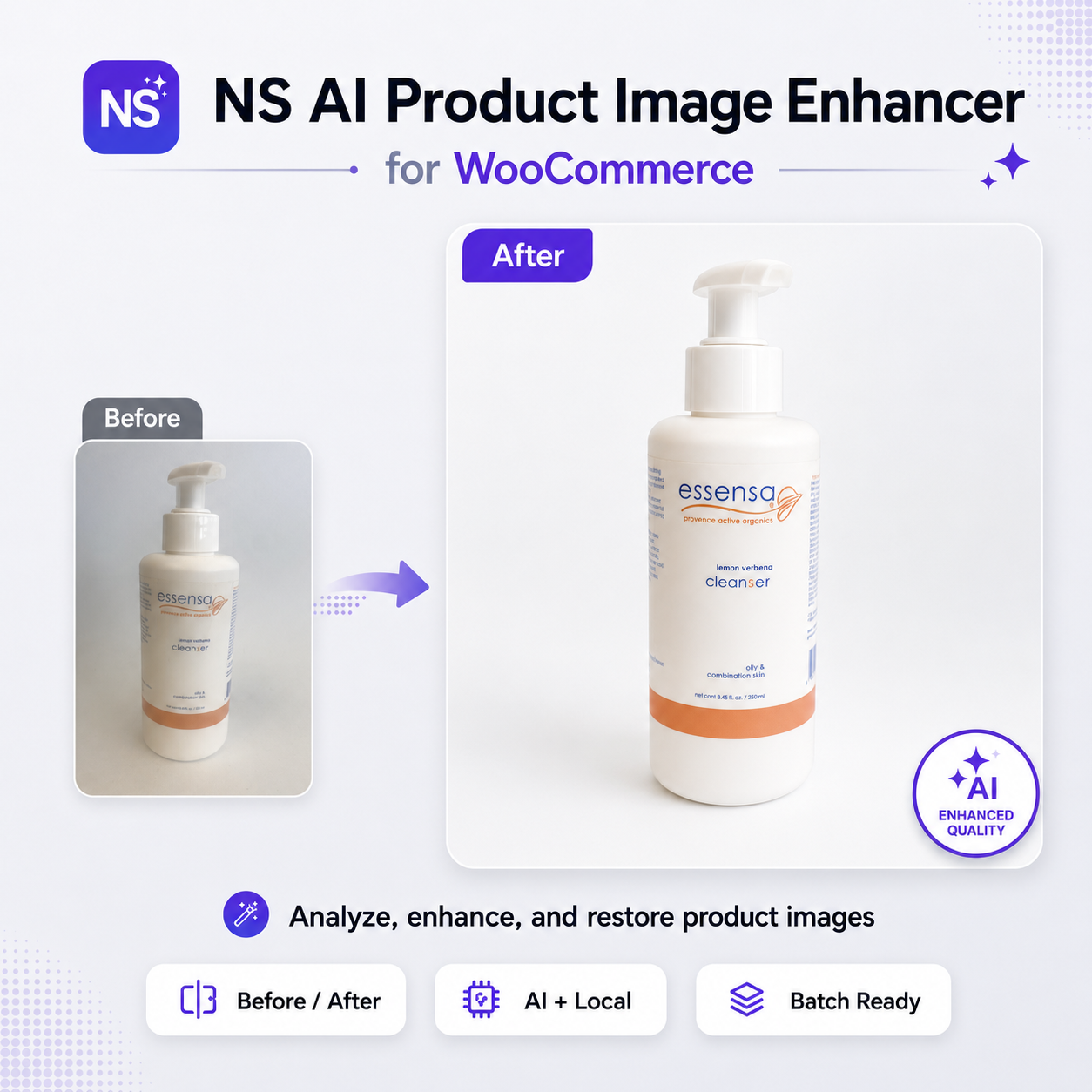
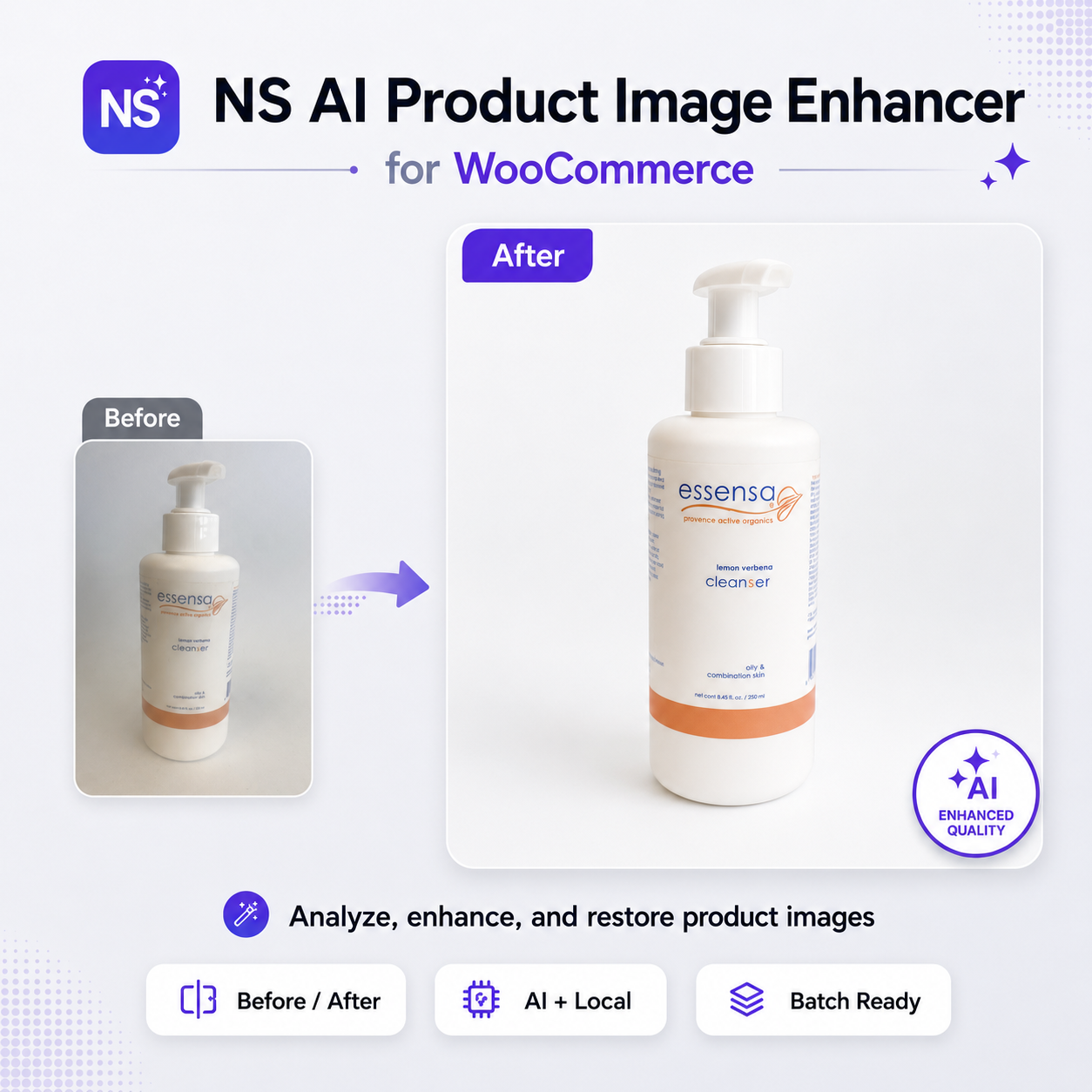
Turn everyday product photos into polished storefront images.
Enhance featured, gallery, and variation images from your WooCommerce admin—with AI rendering, background batch processing, protected originals, and simple restoration whenever you need it.
$99/year. Cancel renewal anytime and keep using your installed version. Installed on your own WordPress site. Updates and support are included while your subscription is active.
Requirement: Your own OpenAI API account for AI rendering. API usage is billed separately by OpenAI.


Built for real WooCommerce catalogs
Better product images without rebuilding your workflow.
Work with the images already attached to your products. Improve presentation, keep every original, and apply the result to the correct WooCommerce field.
Enhance Inside WooCommerce
Analyze and enhance featured, gallery, and variation images directly from the product editor.
Preserve Every Original
Enhanced versions are created as new Media Library attachments, leaving source images intact.
Process Products at Scale
Queue matching products in throttled background batches instead of processing an entire catalog in one request.
From existing photo to improved storefront image.
Enhancement runs in the background. You decide which version belongs on the product.
01
Analyze
Review dimensions, aspect ratio, file size, and alt text.
02
Choose
Select local processing or AI-rendered enhancement with OpenAI Images.
03
Enhance
Process one image or queue matching products in the background.
04
Apply or Restore
Use the enhanced version in the correct product field—or return to the original.
AI speed. Merchant control.
The plugin tracks enhanced versions separately, so improving a product photo never requires permanently overwriting the original upload.
- Preview enhanced output before using it
- Apply images to featured, gallery, or variation fields
- Restore original product images when needed
- Use prompt rules designed to avoid new text and preserve packaging copy


Production-ready tools for WooCommerce stores.
Complete Image Coverage
Work with featured images, product galleries, and variation-specific images.
Local or AI Processing
Create local derivatives with WordPress image tools or use OpenAI for rendered enhancement.
Background Batches
Action Scheduler processes catalog jobs in controlled chunks, with WP-Cron fallback.
Version Tracking
Track original and enhanced attachments with dedicated version records and logs.
Protected Processing
Capability checks and WordPress nonces protect manual, REST, and AJAX actions.
Flexible Output
Configure image size, quality, moderation, timeouts, exclusions, and enhancement prompts.
Give every product a stronger first impression.
One plugin. One WooCommerce catalog. A safer, faster path to more polished product imagery.
ANNUAL SUBSCRIPTION
OpenAI API usage is billed separately by OpenAI.
Subscribe for $99/yearRequires WordPress 6.2+, WooCommerce, and PHP 7.4+. An OpenAI API key is required only for AI-rendered enhancement.
What to know before installing.
What does the plugin enhance?
It analyzes and enhances WooCommerce featured images, gallery images, and variation images from the product editing workflow.
Does it delete or overwrite original images?
No. Enhanced images are saved as new Media Library attachments. The original versions remain available and can be restored.
Do I need OpenAI to use it?
Not for local derivative processing. You need your own billing-enabled OpenAI API account only when using AI-rendered image enhancement.
Can I preview an enhancement before applying it?
Yes. The product editor displays enhanced output and provides actions for applying the result or returning to the original.
Can it process many products?
Yes. Matching products can be processed in throttled background chunks through Action Scheduler, with a WP-Cron fallback.
Will it preserve text on product packaging?
The AI prompt includes no-new-text and packaging-text preservation rules. Because generated imagery can still vary, review labels, legal copy, ingredients, and branded text before applying an image.
Are OpenAI API fees included in the license price?
No. The plugin license and OpenAI API billing are separate. API usage is charged directly through your OpenAI account.
What subscription is available?
AI Product Image Enhancer is available as a $99/year subscription for one licensed domain.
Can I cancel the yearly subscription?
Yes. Cancel anytime to stop future renewals. You can keep using the version already installed; updates and support continue through the end of the paid term.
What is the refund policy?
Initial purchases are covered by a 30-day refund period. Subscription renewal charges may be refunded when requested within 7 days of renewal.
Better product imagery starts inside WooCommerce.
Enhance, review, apply, and restore product photos without leaving your catalog workflow.
Reviews
There are no reviews yet.