
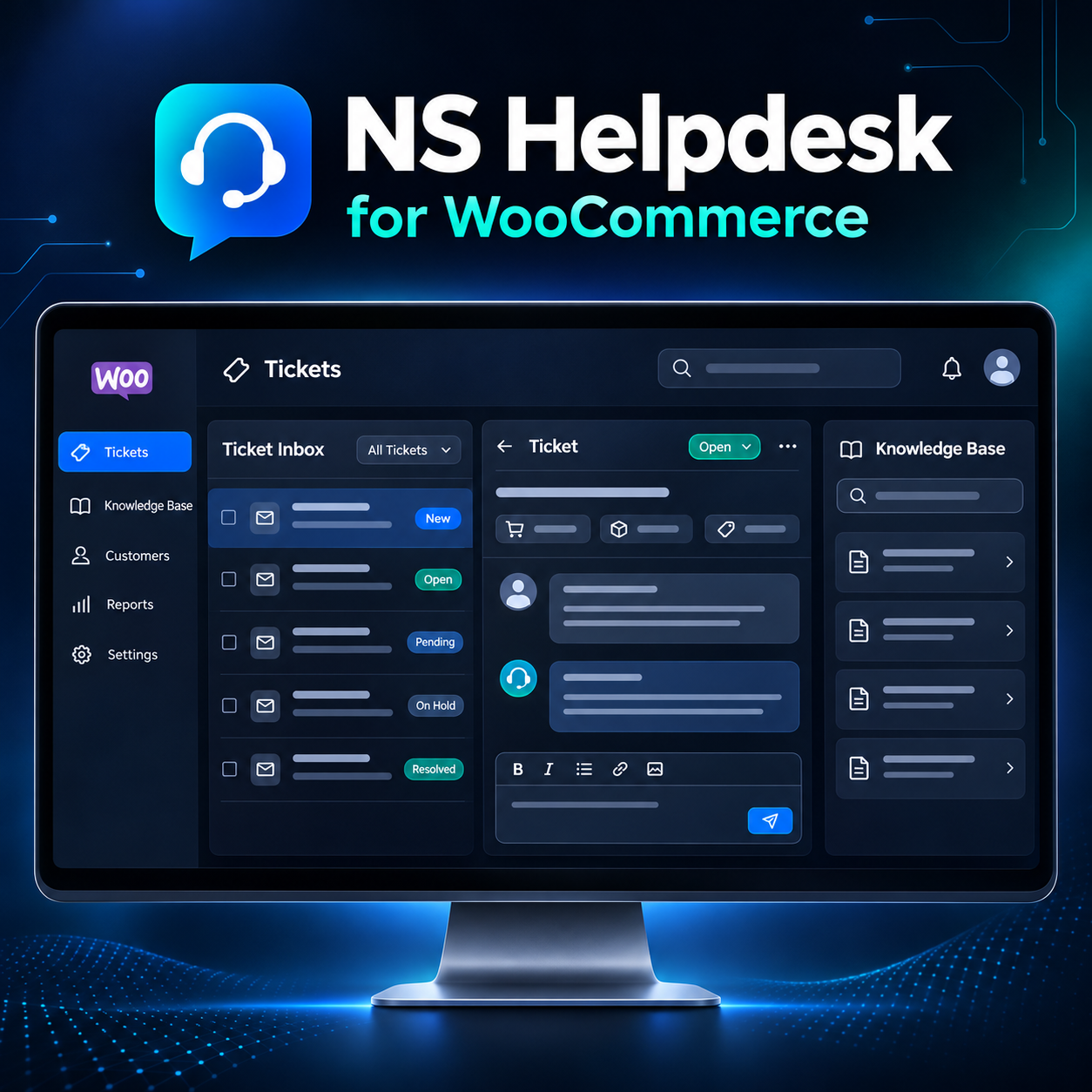
A calmer way to run customer support.
Give shoppers one clear place to find answers, create tickets, and follow every reply. Give your team a shared inbox with the context they need to help.
See plans from $99/yearExplore featuresUser guideUpdates and support during the paid term. OpenAI API usage is separate.
ONE HELP CENTER • PRODUCT-AWARE TICKETS • HUMAN-REVIEWED AI DRAFTS • ANNUAL SUBSCRIPTION
Answers and conversations in one place.
Customers can solve simple questions with articles and send the rest to the right team. Your agents keep the full conversation and relevant order context together.
A clear customer portal
Customers view their own tickets, status, and replies in the Help Center or WooCommerce My Account.
A shared agent inbox
Route tickets to departments, assign agents, leave private notes, and use saved replies and workflows.
Answers before tickets
Publish a searchable knowledge base with product categories and help customers find the right article.
From question to resolution.
Find answers
Search articles and filter by product or service.
Create a ticket
Choose the product, describe the issue, and attach files if enabled.
Route and reply
Agents receive the request, review its context, and send a response.
Stay informed
Customers follow progress and receive email notifications.
Everything you need to keep support organized.
Departments and assignments
Send requests to the right team and see each agent’s workload.
WooCommerce context
Let customers link an order and product so agents can see the relevant purchase.
AI-assisted drafts
Draft editable replies using ticket context, published articles, and agent notes. Agents approve what gets sent.
Email conversations
Send ticket notifications and optionally import customer replies from an IMAP inbox.
Workflow controls
Configure fields, saved replies, automatic routing, and service-level alerts.
Support dashboard
Track ticket volume, status, response work, and recent trends in WordPress admin.
Choose the number of websites you support.
Every plan includes the complete Helpdesk. Each subscription renews yearly. You can keep using the installed version after cancellation; updates and support require an active paid term.
OpenAI API usage is billed separately by OpenAI when you enable AI features.
What to know before installing.
What does each site plan include?
Every plan includes the complete NS Helpdesk plugin and the same features. Choose 1, 5, or 20 websites for one license. Updates and support are included while your annual subscription is active.
Can customers see only their own tickets?
Yes. Signed-in customers see their own tickets. Guest access, if enabled, uses private ticket links.
Does AI send replies automatically?
No. AI drafts are private and editable; an agent reviews and sends the final customer reply.
Can customers reply by email?
Yes, if you connect a compatible IMAP mailbox in settings. Outbound WordPress email delivery must also be configured.
How will I receive my license after checkout?
After a successful payment, NSPlug emails your license credentials to the address used at checkout. Use those credentials to activate the plugin on your websites.
What happens if I cancel?
You may continue using the installed version on your licensed websites. Updates and support end when the paid term expires.
What does the AI feature require?
You need your own OpenAI API key with billing enabled. API usage is charged separately by OpenAI.
What are the site requirements?
WordPress 7.0 or newer, PHP 8.3 or newer, HTTPS, and working WordPress email delivery are required. WooCommerce enables order-linked support features.
Put answers, tickets, and your team in one Help Center.
Start with a simple customer experience and an inbox your agents can manage.
Reviews
There are no reviews yet.